Making a petabyte-scale warehouse feel simple
BigQuery gives analysts and engineers access to enormous datasets — but that power came with a learning curve steep enough to keep first-time users out. This project rethought the query and exploration experience so both a first-day analyst and a ten-year data engineer could find their footing.
Unlock the full case study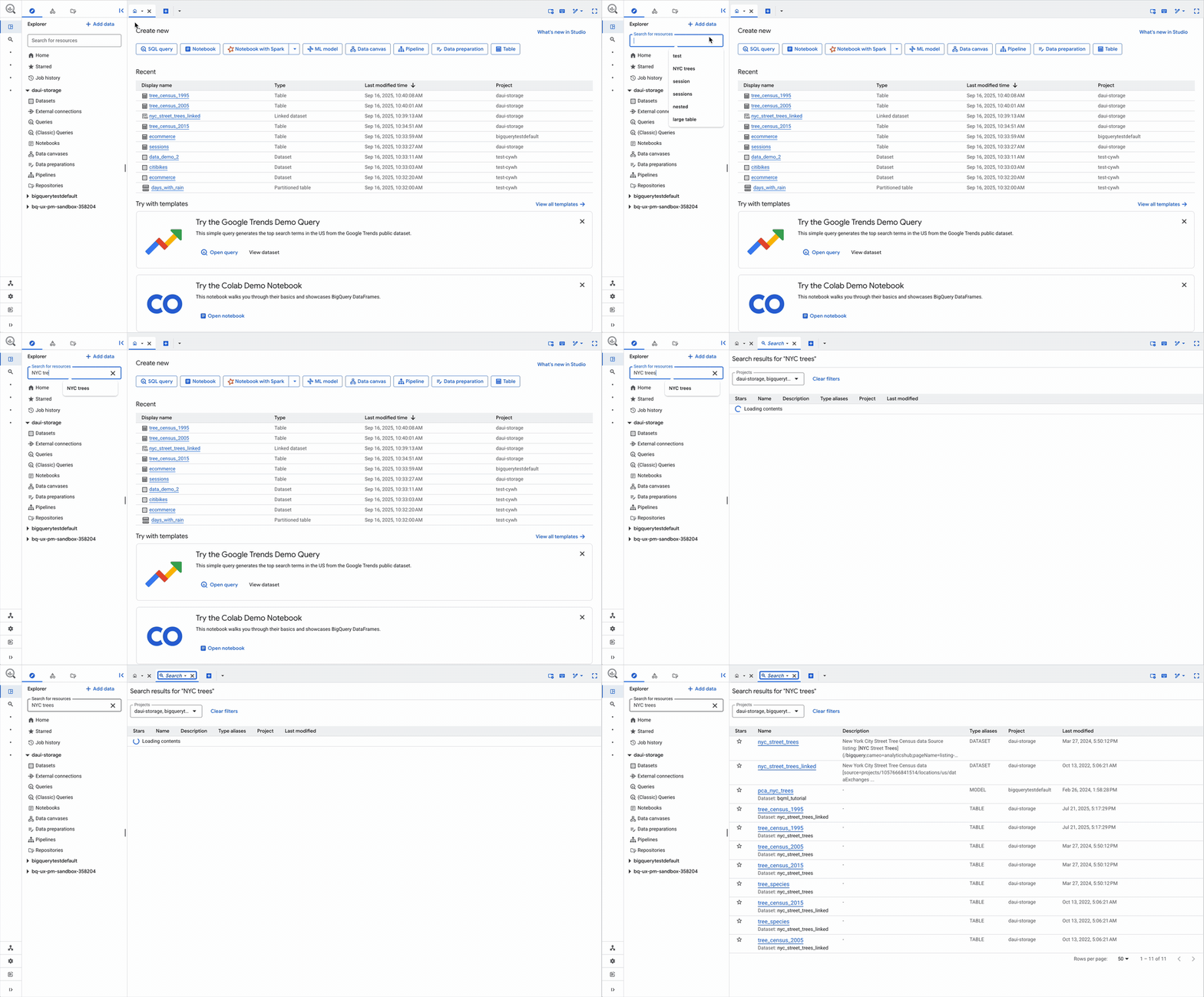
Overview
BigQuery is Google Cloud's serverless data warehouse, used by everyone from solo analysts to enterprise data platform teams. Users were losing time to the environment rather than the analysis: slow navigation through thousands of resources, constant context-switching to check schemas while writing queries, and a workspace that filled with tabs and competing UI.
I worked on modernizing the core BigQuery Studio working environment — how people find data, write queries against it, and manage the workspace around that work. The refreshed console experience launched publicly in October 2025.
Highlights
- Redesigned the Explorer for scale — filtering by project and type, cross-project starring, and full-text search across the organization's BigQuery resources, with the classic view kept available so veterans migrate on their own schedule
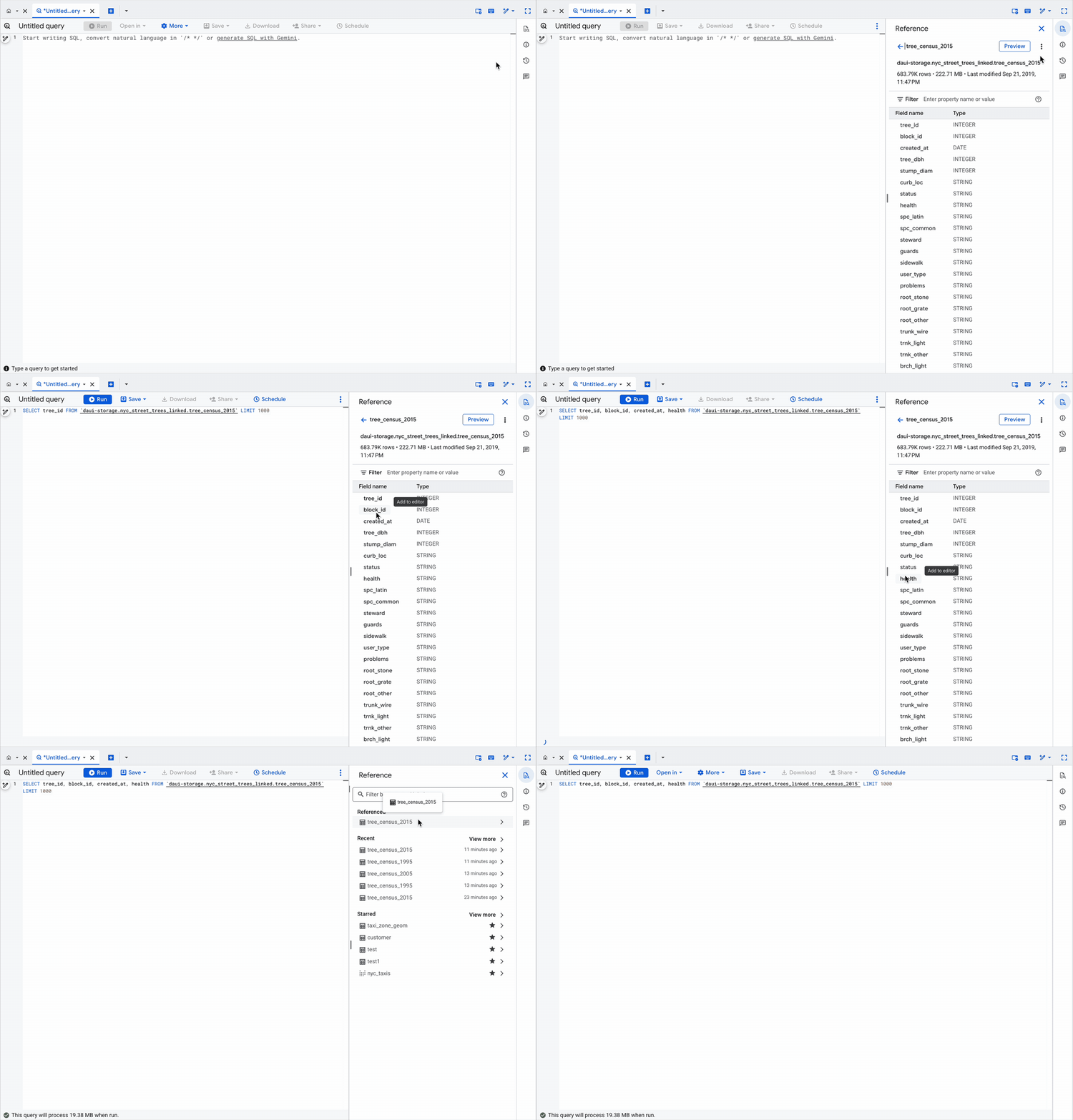
- Brought schema into the flow of writing: a context-aware reference panel beside the editor with click-to-insert fields and query snippets — ending the throwaway "what are the columns called?" query
- Standardized tab behavior around a predictable default with deliberate overrides, ending accidental content replacement and tab sprawl
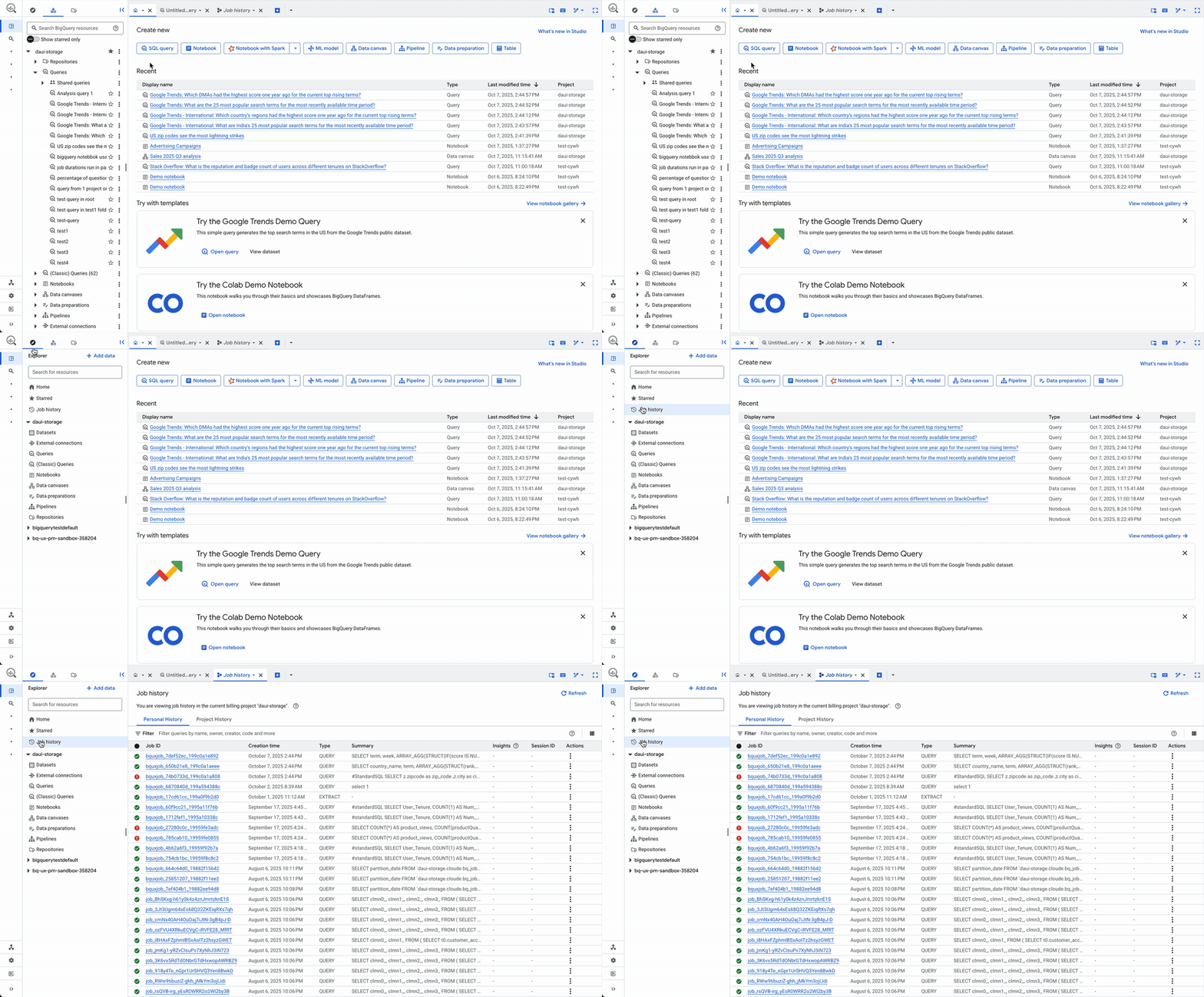
- Moved job history to a dedicated tab and made the Explorer fully collapsible for a focused, editor-first workspace
Impact
The refreshed BigQuery Studio interface is live for all users in the Google Cloud console, cutting the navigation, context-switching and workspace-management overhead between users and their analysis. The full case study covers the process, design decisions and outcomes in detail.
Want the full story?
The complete case study — problem framing, process, design artifacts and outcomes — is available with a password. Don't have it? Get in touch.
Unlock the full case study